 English
 Deutsch
 Français
 Norsk
 Suomi
 日本語
 Português
 Русский
 Čeština
 Ελληνικά
 हिन्दी
 ภาษาไทย
 中文
 Italiano
 Türkçe
 العربية
 עברית
 فارسی
 Español
 Nederlands
 Português (BR)
 Polski
 Svenska
 Bahasa Indonesia
 Tiếng Việt
 한국어
Disclosure: DuelFree is an independent guide, not run by Duel. We may earn a commission if you sign up through links on this page; it doesn't change how we cover anything. 18+ only.
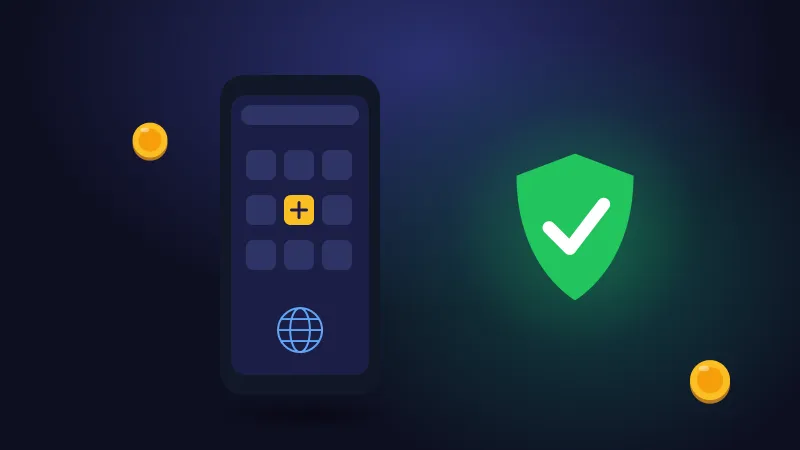
We found no official Duel app link on duel.com: its homepage has no App Store, Google Play or APK link, and no text about an app or a download. To play Duel on your phone, open the site in your mobile browser and, if you want an app-like shortcut, add it to your home screen.

Is there a Duel app?
Not one we can point you to. On 27 November 2026 we read the duel.com homepage and looked for any link or wording that mentions an app, iOS, Android or a download. We found none. That is a statement about what duel.com shows, not about every app store, which we haven't searched.
What the site does have is a mobile setup. It sets a mobile viewport, so pages fit a phone screen, and it defines a home-screen icon and the title "Duel". Those two details are what make a shortcut look like a small app on your phone.
Our advice is simple: if Duel ever announces an app, expect to find the link on duel.com itself. Until then, treat anything that calls itself "the Duel app" as unverified.
How do you play Duel on your phone?
Open your phone's browser and type the address yourself, then log in. The same site runs on mobile and desktop, so the sections you know from a computer are there: Casino, Sports, Arena and High Scores.
A few habits make it smoother on a small screen:
- Use the browser you already trust and keep it updated.
- Rotate to landscape for live-dealer games and wide tables.
- Stay on Wi-Fi or a stable connection when you start a round. A dropped signal in the middle of a bet is annoying even when the game handles it.
- Try new games with tiny stakes first. Our guide to Duel Originals explains the in-house games before you play them on a touchscreen, where it is easy to tap the wrong button.
If you haven't signed up yet, you can read about the DUELFREE code first, or use our link to go to the site.
How do you add Duel to your home screen?
Use your browser's built-in shortcut feature. It is a standard browser function, not an app download, and it puts a Duel icon on your phone that opens the site in one tap. The exact menu names change between browser versions, so the steps below are general.
iPhone (Safari)
- Open duel.com in Safari. Check the address in the bar first.
- Tap the Share button.
- Choose Add to Home Screen, confirm the name "Duel" and save.
Android (Chrome)
- Open duel.com in Chrome and check the address.
- Tap the three-dot menu.
- Choose Add to Home screen (some versions also show Install). Confirm and save.
Duel defines its own icon and the home-screen title "Duel", so the shortcut should show that name and icon. We can't promise an "install app" prompt will appear on your phone. If you don't see the option, the browser menu is the place to look.
How do you log in on mobile?
Duel offers login with Google or Steam. On a phone that usually means signing in through your Google account or the Steam login page, then returning to Duel.
Protect that account, because it is the key to your balance. Turn on the security options for your Google or Steam account, use a screen lock on your phone, and don't log in on a shared or borrowed device. If you use a saved shortcut, still check that the address in the browser is the one you expect before you enter anything.
What are the risks of fake Duel apps and "Duel APK" files?
This is general safety advice, not a claim about any specific app. Anything that asks you to install software to reach a casino account deserves suspicion, especially when the casino's own site shows no app link.
Use this checklist:
- Only use duel.com itself. Type the address or use a shortcut you made from the real site.
- Don't install APKs or "Duel apps" from unofficial sources. A file shared in a chat, video description or forum is not a safe source.
- Check the address before you log in. Look at the full domain, not just the page design.
- Never give your login or seeds to a "predictor" app. Game outcomes can't be predicted, so these tools have nothing real to offer. We explain why in our piece on Monopoly Live predictors.
- Be wary of links in messages and emails. Go to the site yourself instead of tapping.
- Read our Is Duel legit? review for the operator and licence details, so you know what the real company looks like.
Do country limits and KYC apply on mobile?
Yes. The rules are tied to you and your account, not to the device you hold. Duel doesn't accept players from the United States; the site shows a "Country Restricted" notice when you try to register from a US connection. We don't suggest any way around that, and you shouldn't try one.
Duel's terms also say it may ask for identity verification (KYC) before a withdrawal. That can happen whether you signed up on a phone or a computer. Read our Duel KYC guide to see what the terms say, and the withdrawal guide for the payout steps. You are also responsible for checking that gambling is legal where you live.
How do you keep mobile play under control?
A phone is always in your pocket, so a session can start in a queue, in bed or at work, with no pause between the urge and the bet. That makes it easier to play more than you planned.
- Decide a budget and a time limit before you open the site, and write them down.
- Don't play when you are tired, upset or have been drinking.
- Turn off notifications from gambling-related accounts if they pull you back in.
- Never chase losses and never play with money you need for bills.
- Take a break when you hit your limit, even if you are up.
Duel is for adults only, and no system beats the house edge over time. If gambling is causing you stress, visit our responsible gambling page (18+ only) and consider stopping.
FAQ
Is there an official Duel app?
We found no official app link on duel.com. The homepage has no App Store, Google Play or APK link and no text about an app. We recommend playing in your mobile browser.
How do I download Duel on Android or iPhone?
There is nothing to download from duel.com that we could find. Open the site in Chrome or Safari and add a home-screen shortcut using the steps above.
Is a "Duel APK" safe?
We can't vouch for any APK, and duel.com shows no APK link. Don't install files from unofficial sources, and never enter your login anywhere except the real site.
Can I log in to Duel on my phone?
Yes. Duel offers login with Google or Steam, and the site is built to work in mobile browsers.
Do I need KYC to play on mobile?
The same rules apply on any device. Duel's terms say it may request KYC before a withdrawal, so it is worth reading our KYC guide before you deposit.
Can I play Duel from the United States on my phone?
No. Duel doesn't accept players from the United States, and that applies on phones as well as computers.
Duel facts in this article were checked on duel.com on 27 November 2026.